



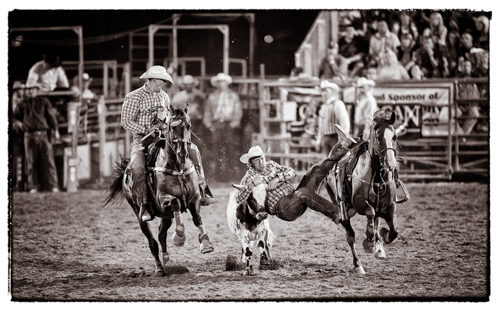
I’m amazed at how well today’s cameras handle low light situations; any DSLR you buy today can make a decent picture at high ISO’s. Obviously, when we have the option we can control light and bring as much as necessary to make a high quality image at as low an ISO as possible. But if you’re like me, you often find yourself in situations where the light is scarce and flash is not an option, but you still need to make a photograph. Maybe it’s your kid’s basketball game, or a dance recital, or a poorly lit rodeo.
Tip #1 Get Over It
High ISO (800 and up) is the perfect tool to help me freeze the action at these events. I think of ISO as a component of shutter speed, and when I need a faster shutter speed to freeze the action I turn up the ISO. While professional sports usually demand 1/1000s to freeze action, I find that I can often get away with much slower speeds for kids sports and performances–something like 1/250 is often sufficient. And that’s good because with my 70-300mm lens at f/5.6 I’m hard pressed to get much faster, even when I turn it up to ISO 3200.
ISO 3200? Have I lost my mind? Don’t I realize how much noise there is at those astronomical numbers? Actually, I do. I realize that there is exactly the right amount of noise to freeze my subject and make a great image. A sharp noisy picture is far better than a blurry fine grained one. My first tip for great results at high ISO’s is to get over it, and turn up the ISO. I missed a lot of really great images my first year shooting because I was scared to go over ISO 200.
Tip #2 Lighten Up
Just because I’ve accepted that there will be noise doesn’t mean I like having noisy images. the trouble with noise is that it obscures details. The best way I know to minimize noise is to make sure my subject is exposed brightly. Making faces nice and bright helps ensure that they will not be obscured by noise. Maybe a player’s white jersey will have some clipped areas blinking in my highlight warnings, but it’s worth it to make sure that the player’s face has good detail (don’t’ worry about noisy backgrounds). Maybe a landscape is a little brighter than I’d like, but darkening it in post allows me to use high ISO to freeze the movement of stars and capture the Milky Way like never before. Exposing your picture a bit brighter than you usually would will make a better looking image. If it’s a little murky at 3200, crank it up to 6400 and don’t look back.
Tip #3 Use Auto ISO
Set your camera to Auto ISO. The camera can choose from more values than you can set manually. I can choose 1600 or 2000; the auto setting can choose 1700 or 1900 depending on what is right for the scene. When using Auto ISO in manual mode, the exposure compensation button adjusts ISO to make the picture brighter or darker–pretty handy.
Tip #4 Shoot RAW
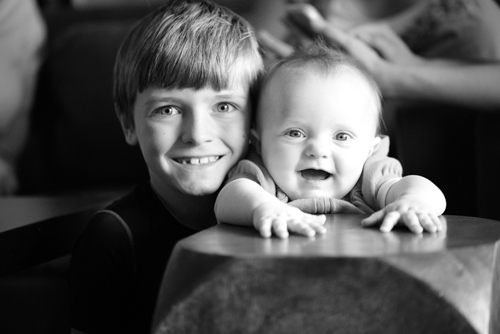
The tools for reducing noise after capture are incredible. There are all kinds of plugins for photoshop that work miracles. I’ve used Nik’s Dfine with good success, but I find that the built in sliders in Lightroom4 are every bit as powerful (under the Detail tab in the Develop module, or in CS5 or CS6 use Adobe Camer RAW for the same adjustments).
In my experience, using noise reduction on RAW is better than trying to use it on jpgs. It still works well on jpgs, but for best results shoot RAW. And don’t over do it. Lightroom can smooth the noise right out of your image, but leave your subjects looking like they are made of Play-Doh. You might even get better results by adding grain back in (under the Effects tab in the Develop module). Be sure to view the image at 1:1 magnification in Lightroom to see the real effect of noise reduction.
Tip# 5 Black and White
We often associate black and white images with a timeless feeling, and we love the historic look to them. Well, noise looks like grain, and finishing your images in black and white may just save them from looking too noisy and make them look ‘timeless’.
Conclusion
Making available light pictures has never been easier than with today’s cameras. So get out there, turn up the ISO, shoot a little bright in RAW mode, and enjoy making pictures that really show the mood of a moment or the excitement of an event.



